
Setup your Linkak in seconds.
Download the app, create your profile, and activate your product to start connecting effortlessly.
The Basics
Get your digital profile ready before pairing your physical card.
Download the app
Get the Linkak app from your device's app store for iOS or Android.
Create your account
Sign up securely with your email or social accounts in less than 30 seconds.
Complete your profile
Add your custom links, contact info, bio, socials, and avatar.
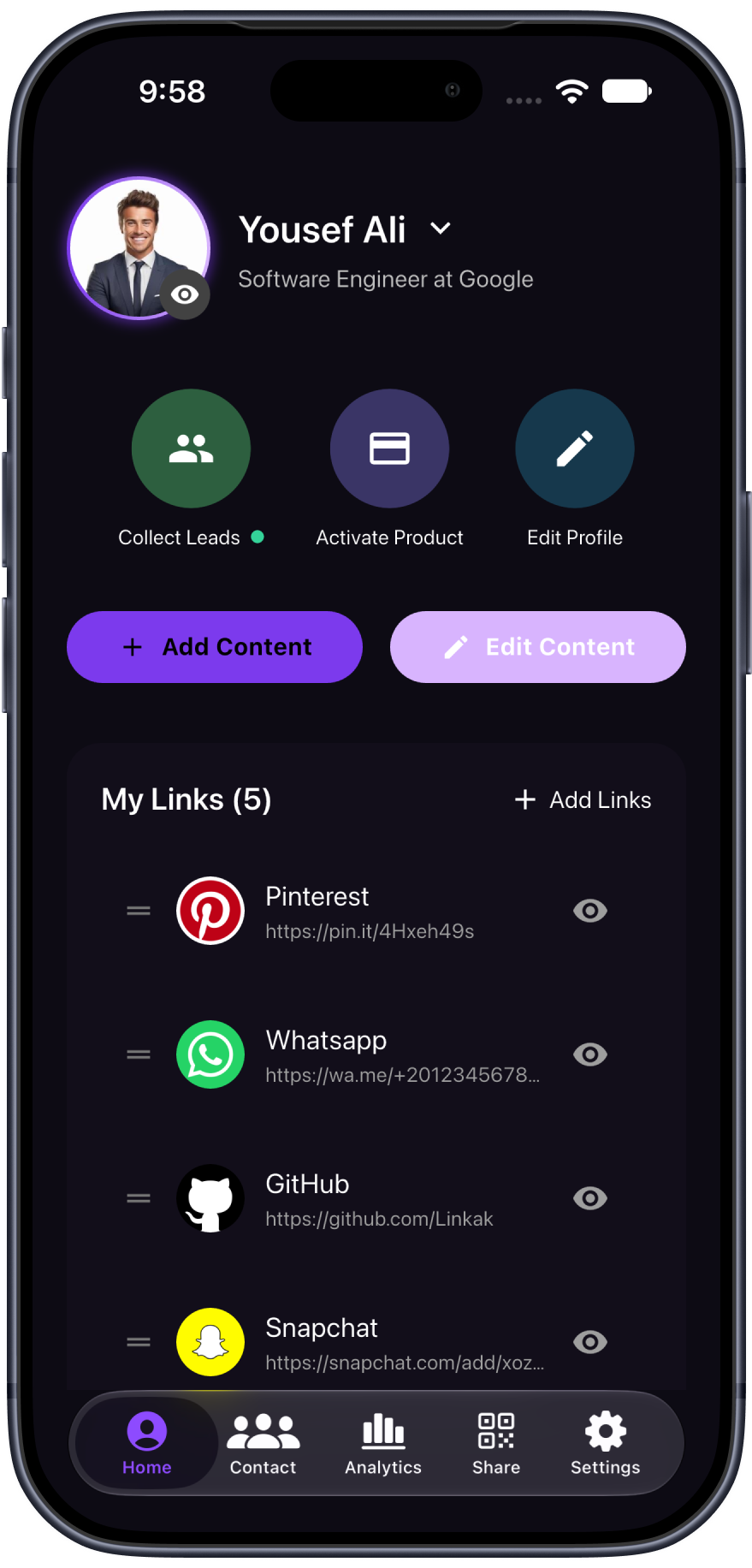
Step 4: Tap Activate
Navigate to your app dashboard and tap Activate Product to begin the instant pairing process.
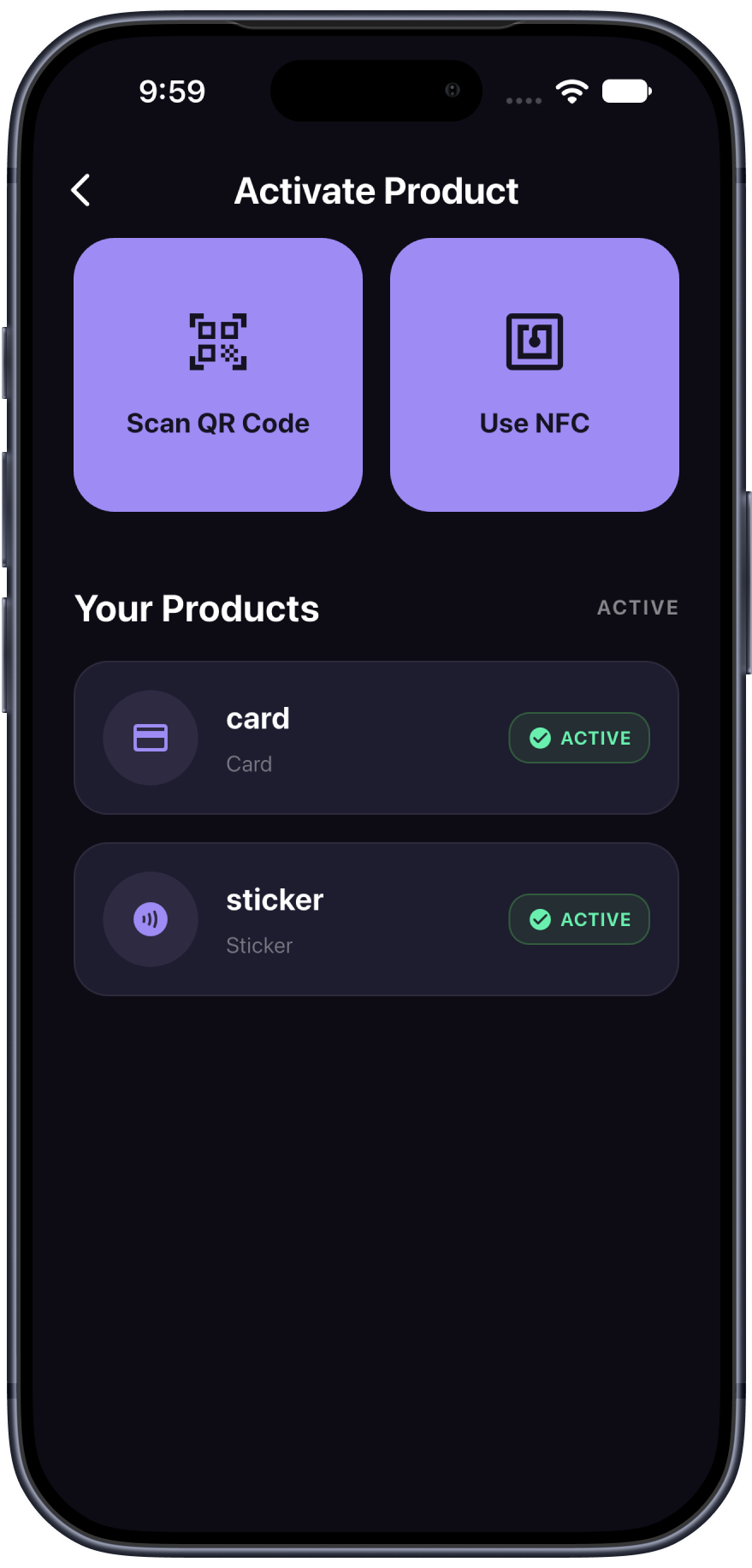
Step 5: Pair your Linkak
Choose your preferred pairing method: scan the product's unique QR code or tap it using NFC to link it securely to your account.
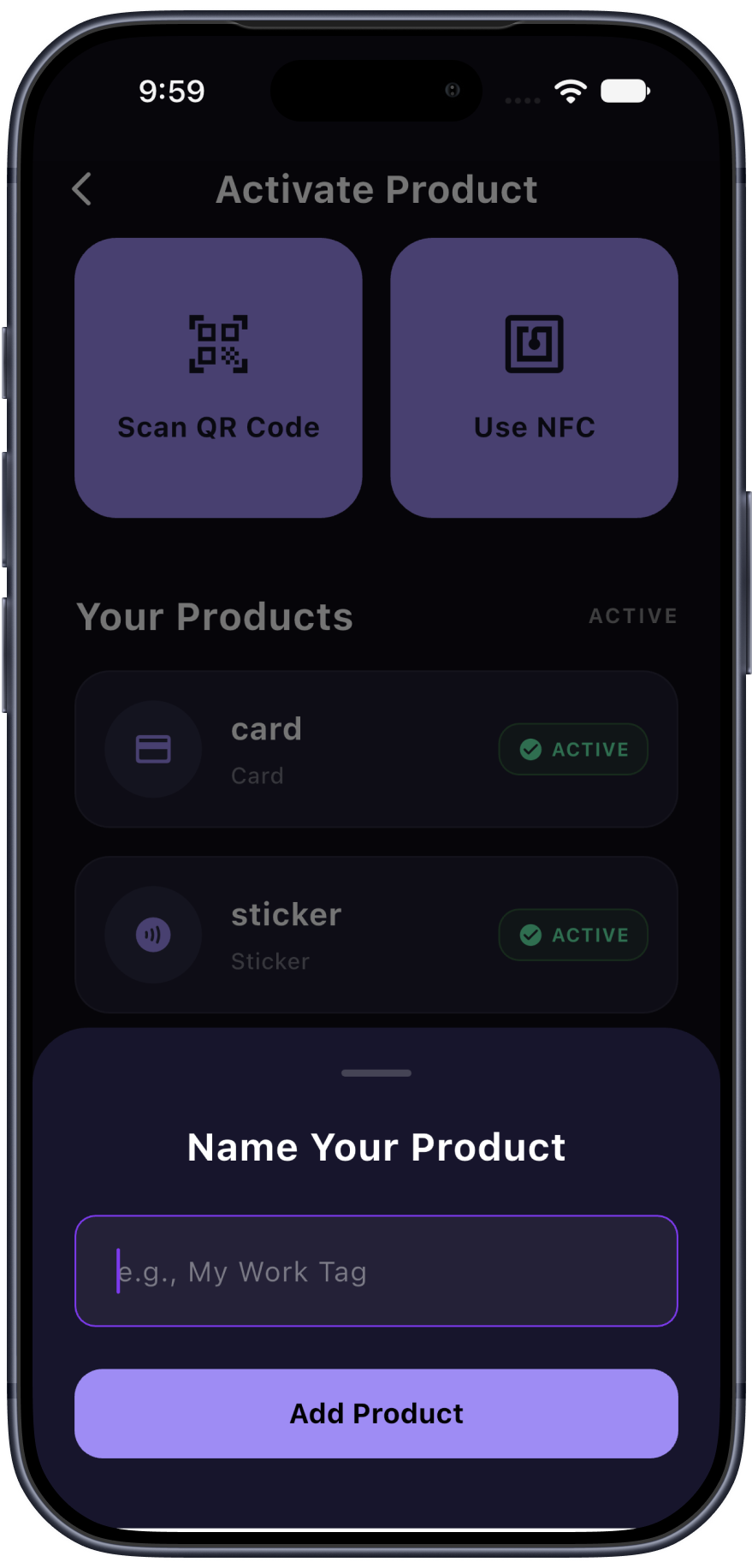
Step 6: Make it yours
Scan your card within the frame to finalize. Give your card a custom name and start sharing your info with a simple tap!
Frequently Asked Questions
Troubleshooting and tips for getting the most out of your Linkak.